Hex Color Clock
This hex color clock turns the time into a color. It reads the clock on your device and shows the current time as a hex color code, so 11:24:30 becomes #112430. The background updates every second, sliding into a new shade with each tick.
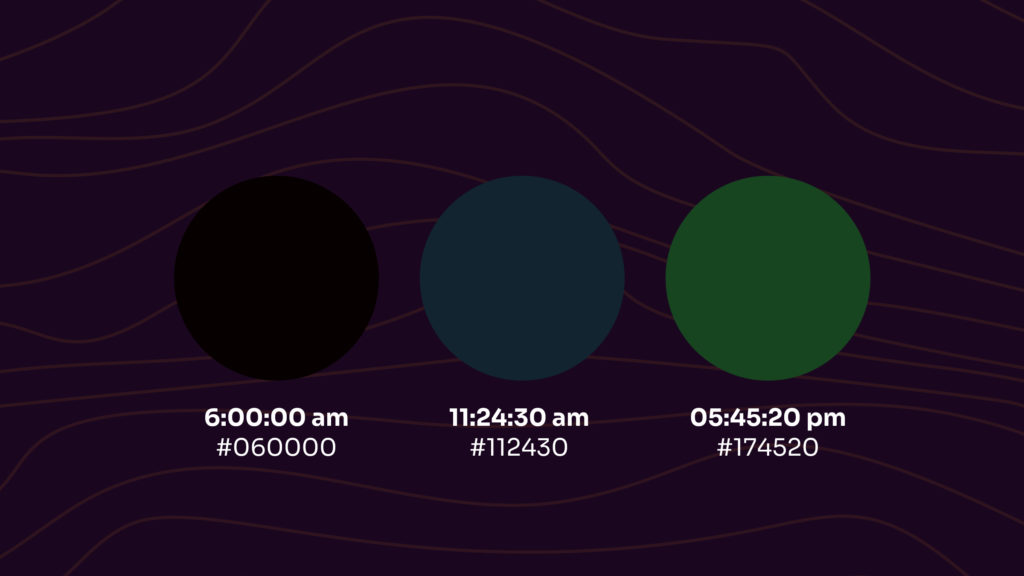
How the hex color clock works
A hex color code has six digits: two for red, two for green, and two for blue. The clock maps the time straight onto those pairs. The hour sets the red value, the minute sets the green, and the second sets the blue, which gives you #HHMMSS. At 09:41:18 the screen shows #094118, a deep forest green. A second later it becomes #094119. Because the time never stops, neither does the color.
Why the hex color clock stays dark
You will never catch a bright red, a clean white, or a sunny yellow on the hex color clock, and there is a tidy reason for it. A clock only counts up to 23:59:59, which keeps every value far below the channel maximum of 255. The red digits never pass 23 (a value of 35), and the green and blue digits stop at 59 (a value of 89). So the brightest the clock ever gets is #235959, a muted teal that lasts for one second just before midnight. Then it resets to pure black, #000000, at 00:00:00 and starts the climb again.
How to use the color clock
The clock is built to run full screen, so it makes a calm ambient clock for a spare monitor or a TV. Hover the top right corner to bring up the controls:
- Show or hide the time in 12 hour format.
- Show or hide the hex color code.
- Expand the clock to full screen.
Click the hex code at any moment to open that color’s full page on ColorKit, where you can copy the code, read its name, and build a palette around it. Leave the page running and watch the day move through the palette, one second at a time.